June 2024
Regents University London
Regents’ 2022 student app launched to low engagement. I rebuilt the navigation, academic dashboard, and notifications — and 89% of students completed key tasks unaided in usability testing.
Role
UX Designer and Researcher
Duration
13 Weeks
Tools
Figma, Qualtrics, Miro

The redesign reshaped the app’s information architecture and feature set.
Streamlined navigation
Navigation tailored to undergraduate and postgraduate needs, so students can find what they need fast.
New features
An academic dashboard, community-building tools, and personalised notifications.
Cohesive visual design
An accessible, cohesive visual language for a calm, seamless experience across the app.
Personalised notifications
Real-time, personalised notifications turned the app from a passive reference into something students actually engage with.
Lower cognitive load
A navigation framework that cuts cognitive overload and makes dense information easy to scan.
Academic and social features
One integrated platform combining academic and social tools, designed to keep students engaged and improve retention.
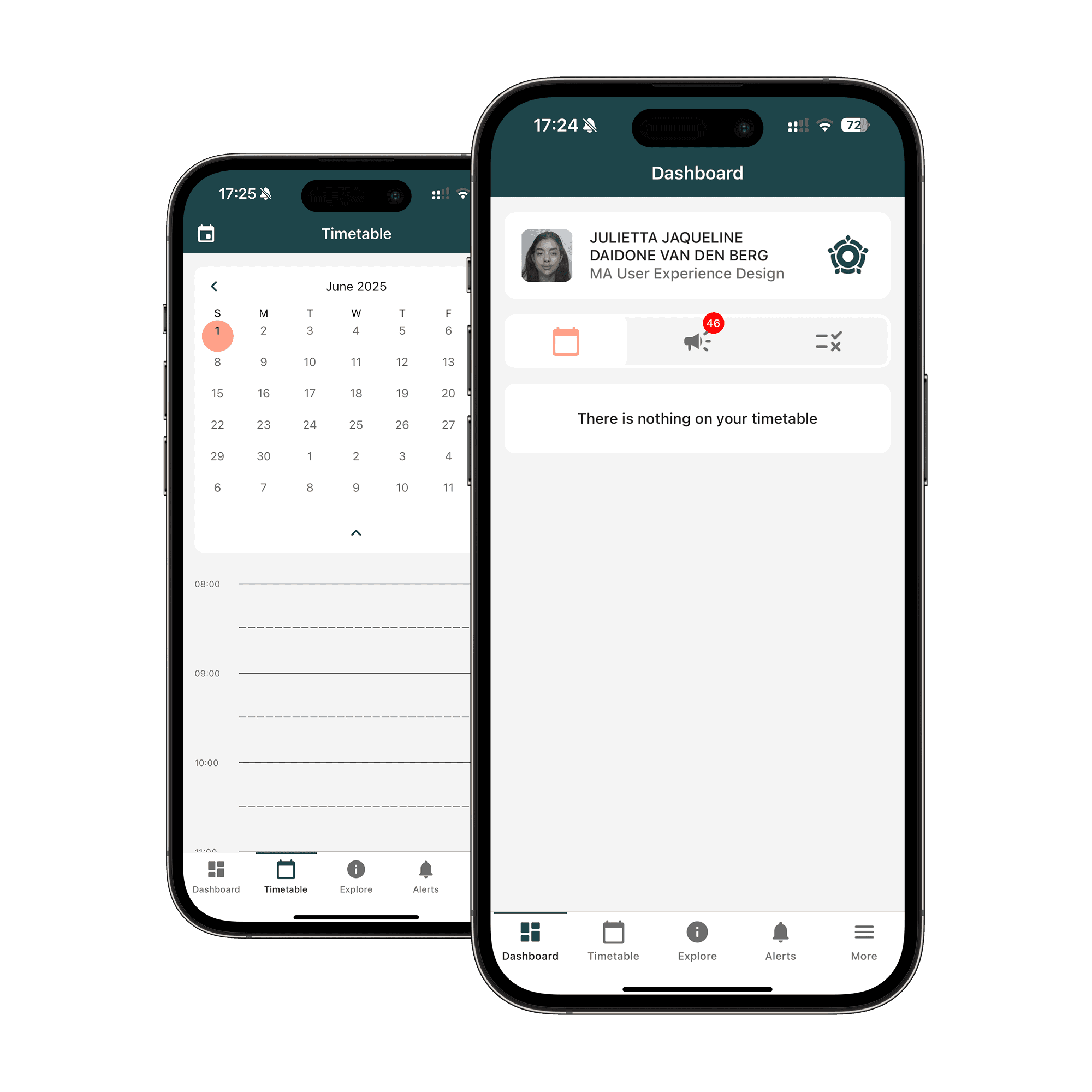
Before
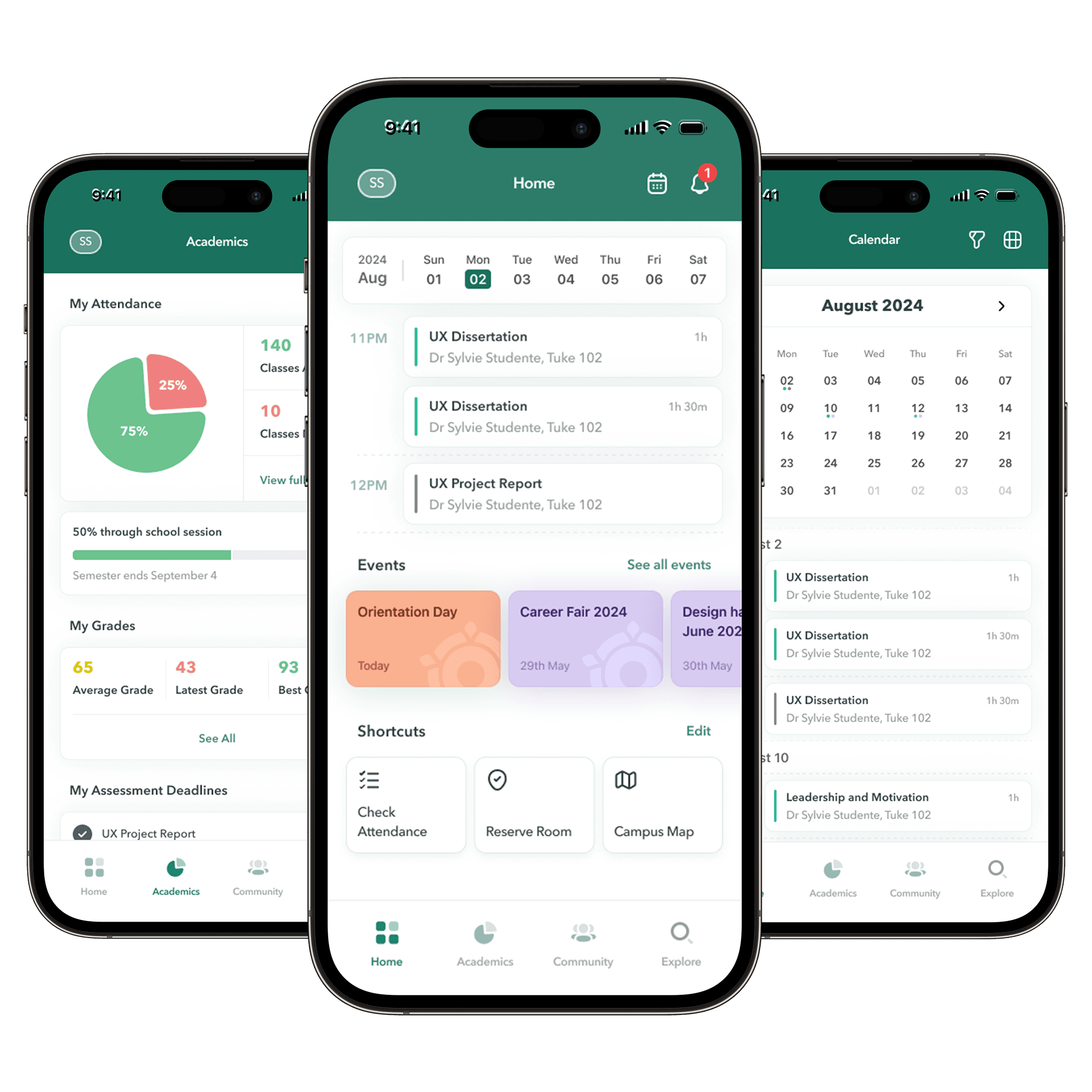
After
What went wrong
Regents’ new app launched to low engagement. Unreliable navigation, missing features, and information that arrived too late left students unable to rely on it for academic or social life.

Goal
Close the gap between what students expected from the app and what they actually got. I focused on:


Research & Method
A mixed-methods study to pinpoint what drove engagement — and where the app fell short — before any redesign.
Questionnaires · 36 students
Mapped usage patterns, satisfaction levels, and the features students most wanted.
Semi-structured interviews · 6 students
Unpacked the ‘why’ behind the survey data — expectations, frustrations, and unmet needs.
Moderated usability testing · 4 students
Validated and refined the redesign against real tasks — the work behind the 80% success rate.
Key insights

Drawn to community features and social opportunities.
More satisfied overall, using the app 2–3 times a week.
Want easier access to events, social activities, and ways to connect with peers.

Focused on academic information.
Less satisfied overall, held back by missing or outdated academic content.
Want better integration with academic support services, reliable grade updates, and easier task management.
Key Themes
Timely, clear information
Critical information was outdated or missing, notifications arrived late, and what was there wasn’t displayed clearly.


Ease of Use
Confusing navigation and layout, hard-to-find information, and recurring technical problems.


What students wanted
Students wanted stronger community features, integration with other platforms, and better booking tools.


Problem Statements
Problem 1
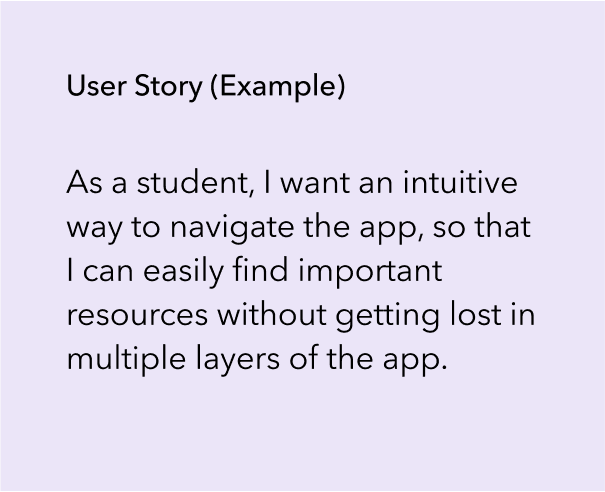
Poor design and information architecture make the app hard to navigate, so students can’t find what they need.

Problem 2
Academic and social information is unclear or buried, making it hard for students to find critical updates, schedules, and events.


Exploring solutions

Wireframing and Lo-fi Prototyping
Turning ideas into wireframes to test which solutions were feasible and actually met user needs.


Hi-fi Prototypes
Navigation and Home Page

Primary and secondary navigation bars for quick access to essential and context-specific information.
Key information at a glance, so students find what matters immediately.
Customisable shortcuts to their most-used features.
Academics and Visual Design

Academic information front and centre, easy to reach.
Grouped related information using Gestalt principles of similarity and proximity.
Charts, progress bars, and colour so students scan and absorb information fast.
Events and Communities

Easy access and registration for social groups and activities to promote community building.
Students can see who else is attending events and societies — social proof that nudges them to join.
Fewer choices per screen so decisions stay simple.
Notification and Explore

Persistent time-sensitive notifications so students never miss important updates.
Notifications organised by relevance so students can prioritise.
Search with suggested FAQs to anticipate what students need.
Testing
Testing Results
89% of participants completed tasks unaided — a clear usability win. Students praised the academic dashboard, personalised notifications, and seeing events directly in the app. The one snag: minor confusion over items on the explore page.
Key Insights
I ran out of time to iterate on the final prototype, but the next round would:
Refine the notification hierarchy so key academic information is prominent and quick to find.
Relabel and reorganise sections to match how students expect them to work.
Add progressive disclosure for less-used features to avoid overwhelming users.

Implement real-time updates to improve satisfaction and reduce faculty workload.

Simplify navigation further to improve retention.

Introduce Single Sign-On (SSO) for better user experience and data security.

Enhance personalisation features to increase engagement and satisfaction.

Integrate social features to foster a sense of belonging and strengthen the alumni network.

Centralise all relevant information on one platform to streamline communication and reduce administrative burden.