Sep 2026
Opalo
Founder & Product Designer
7 Months
Claude Code, Figma, Xcode, Firebase
Overview
What Opalo is
Opalo is a private photo and video journaling app for close friends — a calmer, no feed, more personal alternative to traditional social media. I took it from an idea to a live app on the App Store: the product thinking, the design, the engineering, the backend, the brand and the launch, all myself.
With Opalo I wanted to see how far one person could take a real product using AI properly — not to cut corners, but to cover the ground a whole team normally would. This is a look at how I did it, what worked, and what I’d change.
Version 1

Version 3 (launched)
The work
Every role, one person
Product
Scoped the roadmap and decided what to build and what to cut.
Design
The full interface, interaction and motion, in Figma.
Engineering
Directed the whole SwiftUI codebase to production.
Backend
Firebase — data, storage, security rules and cross-device sync.
Research
Onboarding, keyboard and interaction studies before building.
Brand & launch
The name, the voice, the business plan and the waitlist.
Results
Where it is now
Opalo is live on the App Store, grown out of a small private beta. It’s still small on purpose — but the people in it actually use it.
10,829
Messages exchanged
+67%
Growth since July
23
People using it
Message volume, May to September
Early May
3,816
Mid June
6,487
September
10,829
38 friendships formed since the beta opened. The median person has used it on ten separate days and saved sixteen moments. The waitlist went live in April 2026, and I built a custom analytics pipeline and dashboard across the app, website and TikTok.
Figures as of 3 September 2026.

app store version
Opalo Features
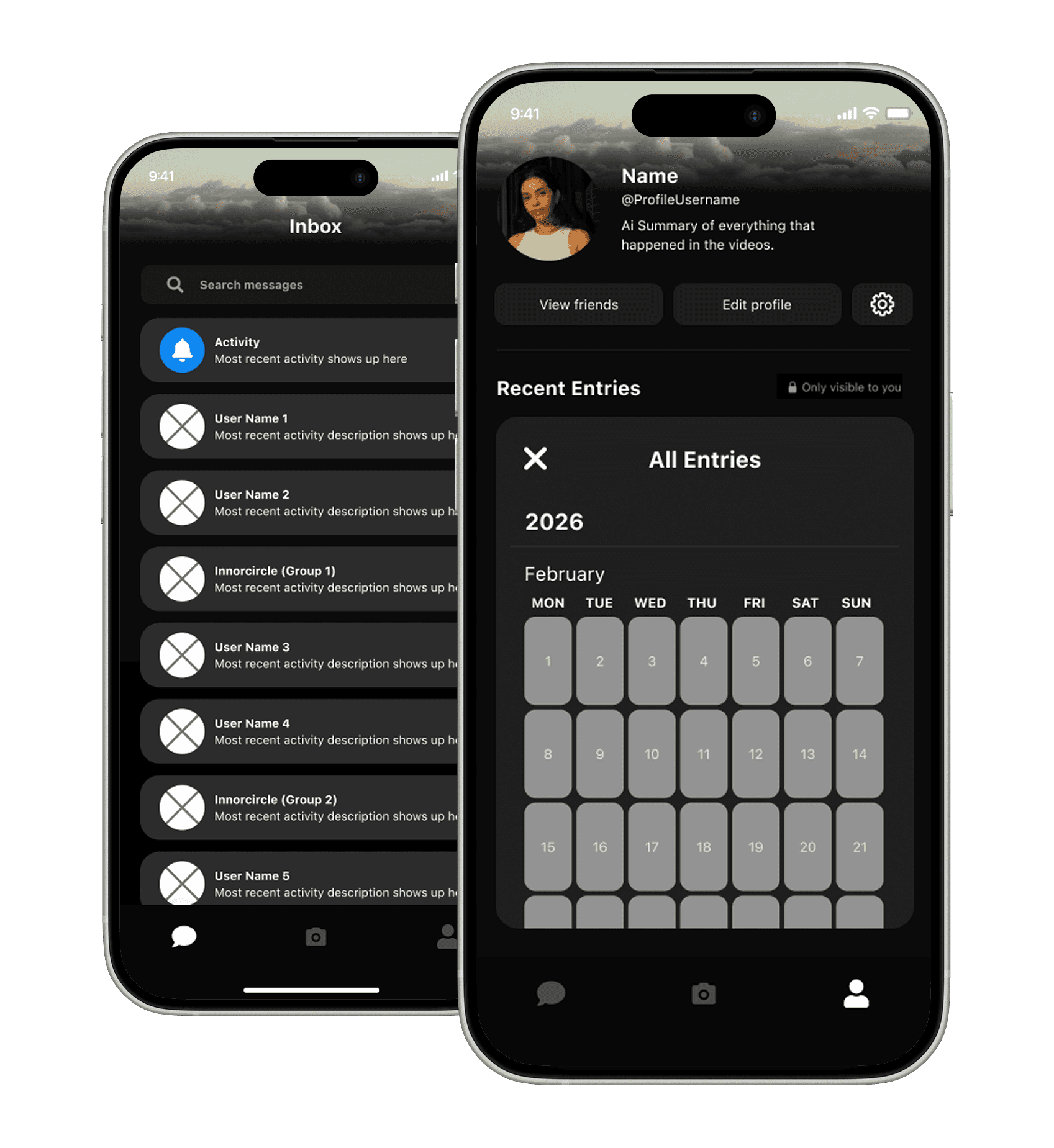
one camera — two places it can go.
profile
inbox
camera
Sending, not posting - you share a moment like sending a letter, not pinning it to a bulletin board.
Shared on purpose - everything you get was chosen for you — that’s what makes it mean something.
Nothing gets lost - the moments that’d disappear in your camera roll, kept somewhere they matter.
Memories, your way - relive them by calendar, stacked by day, or played back like highlights.
A place that’s yours - somewhere to save your life for you — not too public, not too noisy.
Working with AI
A system, not a chat window
I set things up so the AI worked like a small team I manage — with rules and roles, instead of one open-ended conversation.
Everything runs behind an architecture check I wrote and a constraints rulebook in the repo — and I usually run several of these at once, across two machines.
Engineering
Architect
Code reviewer
SwiftUI
Firebase
Design
UX designer
Marketing
Marketeer
ASO
PR
Community
Lifecycle
Founder voice
Short-form
Tech scout
Web research
The commands I run it with
/sprint
/ship
/review
/testflight
/handoff
/status
Running it in parallel
One app, many terminals — each with its own job and its own files, so they never overwrite each other.
Opalo · one codebase
frontend
Chat, inbox & profile
owns Chat/*, Inbox/*, Profile/*
media
Camera & media
owns Camera/*, Media/*, Story/*
backend
Backend & sync
owns Firebase, rules, sync
audit
Audit terminal
reads across all of it — checks every piece still fits together.
Handoff files + commits
State saved after every big change — so any new session starts fresh, even with a small context window.
Two models, two jobs
The strongest model plans; the workhorse builds — so the hard calls get top-tier judgment, and everything else stays fast.
architect
Fable 5
Makes the calls that need the most judgment and writes the plan — the recipe to follow.
builder
Opus 5
Carries out the plan, file by file, across the terminals.
Judgment
Seeing what the AI can’t
With my basic background in coding, I mainly caught bugs by testing the app — noticing when something felt off and describing exactly what I was seeing until the AI could find the cause.
Noticing what it can’t see
AI can’t see the running app. Things like two gestures clashing would slip past Claude. When something was off, I narrow it down, and point Claude straight at the conflict.
Translating through Figma
When words weren’t enough, I stopped explaining and started showing. e.g. I built the message bubbles (far more complex than they look), in Figma from scratch until they worked, then used the Figma MCP so the AI could read the constraints and rebuild them in the app.
Making it prove its work
AI jumps to the first solution it thinks of. I made it research the alternatives and audit its own answers before I accepted anything, then added that into its rules, so it stopped reaching for shortcuts that would cost me later.
None of this needed me to write Swift. It needed me to know the product cold and keep finding ways to close the gap between what I could see and what the AI could understand.
Craft
Holding the bar
Building quickly only helps if the quality holds.
A design system with guardrails
Colour, type, motion and component patterns, with a few “do not touch” rules so the AI couldn’t secretly erode the details.
Voice as well as looks
I designed how the product sounds, not just how it looks: its tone, the words it uses and the ones it doesn’t.
Current with iOS
As iOS moved forward I moved the app with it onto Apple’s newer patterns and the Liquid Glass design language testing on the latest betas (IOS 27).
Reflection
What I’d do differently
AI extends how much one person can do; it doesn’t replace judgment, and it has a ceiling I hit regularly. The honest risk of building alone is an echo chamber, so I lean on the testers and how they actually behave to tell me when I’m wrong, rather than trusting my own taste in a vacuum.
If I did it again, I’d get real users in earlier. Some of what I polished, I could have tested sooner.
Let's Get in Touch 👋🏽
© 2026 Julietta Daidone